Word Up Copilot
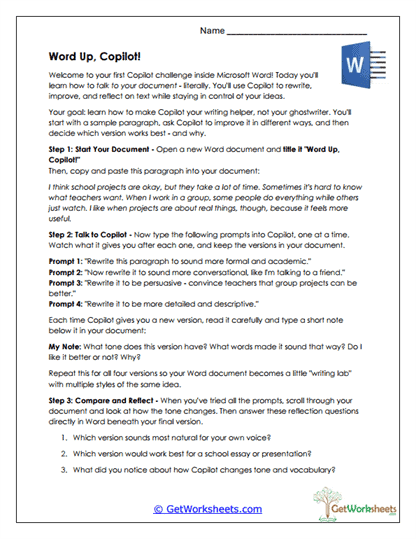
This worksheet helps students in Grades 6, 7, and 8 strengthen revising and editing skills by using Microsoft Copilot inside Word to explore how tone and style affect writing. Students begin with a shared sample paragraph, generate multiple rewritten versions in different styles, and then analyze how vocabulary, sentence structure, and voice shift across revisions, building awareness of purposeful editing and audience.
Learning Goals
- Revising & Editing (Grades 6-8) – Improve writing by experimenting with multiple revised versions.
- Audience & Tone Awareness – Compare academic, conversational, persuasive, and descriptive styles.
- Style Evaluation – Analyze how word choice and structure influence clarity and voice.
- Technology Literacy – Use AI tools embedded in word processors responsibly and thoughtfully.
Instructional Benefits
- Teacher-Created Resource – Designed by educators to align with ELA writing and revision standards.
- Hands-On AI Practice – Uses Microsoft Word and Copilot in an authentic writing context.
- Side-by-Side Comparison – Makes tone and style differences easy to notice and evaluate.
- Reflection-Focused – Students identify which version best fits their personal voice.
- Flexible Use – Suitable for writing workshops, technology integration lessons, or homeschool instruction.
This printable worksheet helps students understand that strong writing is shaped through revision, tone control, and intentional word choice. By experimenting with Copilot-generated versions and reflecting on stylistic differences, learners strengthen editing judgment, audience awareness, and confidence in their writing decisions. Ideal for classroom and homeschool use, this activity reinforces purposeful revision and responsible collaboration with AI tools.
This worksheet is part of our Microsoft Copilot Activities collection.
Bookmark Us Now!
New, high-quality worksheets are added every week! Do not miss out!